
Locator cues
Locator cues are positions on a song's timeline you can jump to instantly. They're how you navigate inside a song — the fastest way to land at a specific moment for a rehearsal pickup, a director's "from here," or a tech run-through that needs to keep moving.
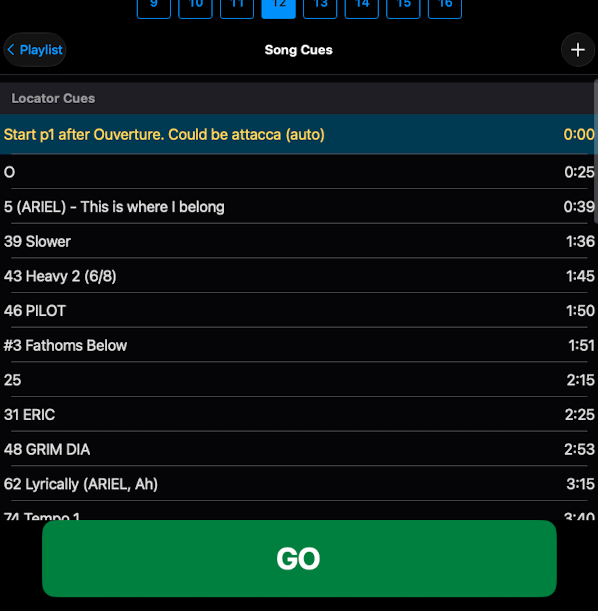
How it works
- The first locator cue in a song is its starting point. When the song loads, ShowPlayer positions playback there. You can move this locator anywhere in the song — songs don't have to start at zero, they start wherever the first locator is.
- Other locator cues mark key points along the audio — verse starts, the dance break, the last chorus, anywhere a director might want to pick up. Tap any locator and playback jumps to it.
- Locator cues live in the Locator Cues section of the event list. Tap any row to seek to that position.
Notes
- Naming locators. Use names that read fast under pressure — "Verse 2", "Dance break", "Last chorus". You'll be glad in tech.
- For pickups. Locator cues are the fastest way to jump to a specific point in a song during rehearsal. Drop one wherever you expect to need a pickup, and tapping it gets you there in one move.
- Scenes don't have locator cues — locators need a timeline.